

Introduction
This quick reference guide lists all settings related to the Mailtrap integration in Gravity SMTP and briefly describes their purpose.
Settings Reference
Configuration
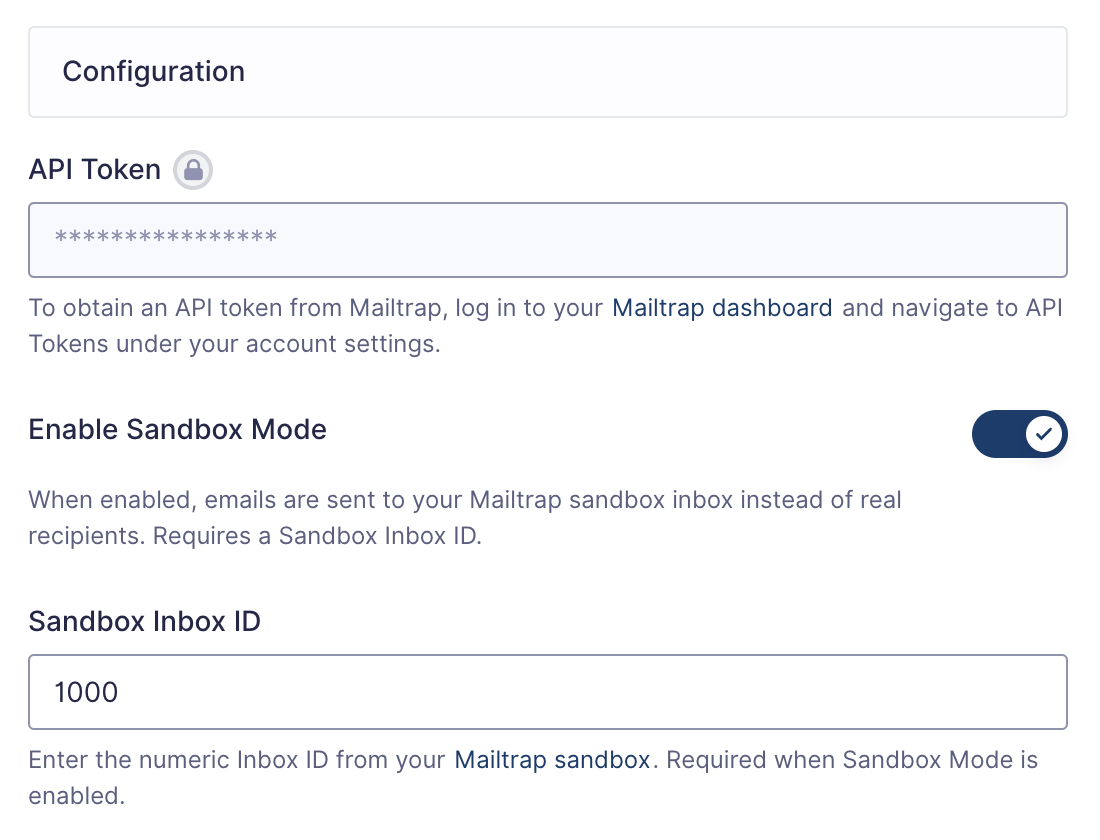
| Tag | Description |
|---|---|
| API Token | The key provided by Mailtrap used to authenticate with the Mailtrap API. See the “Steps” section for the process of obtaining this. |
| Enable Sandbox Mode | When enabled, emails are sent to your Mailtrap sandbox inbox instead of real recipients. Requires a Sandbox Inbox ID. |
General Settings
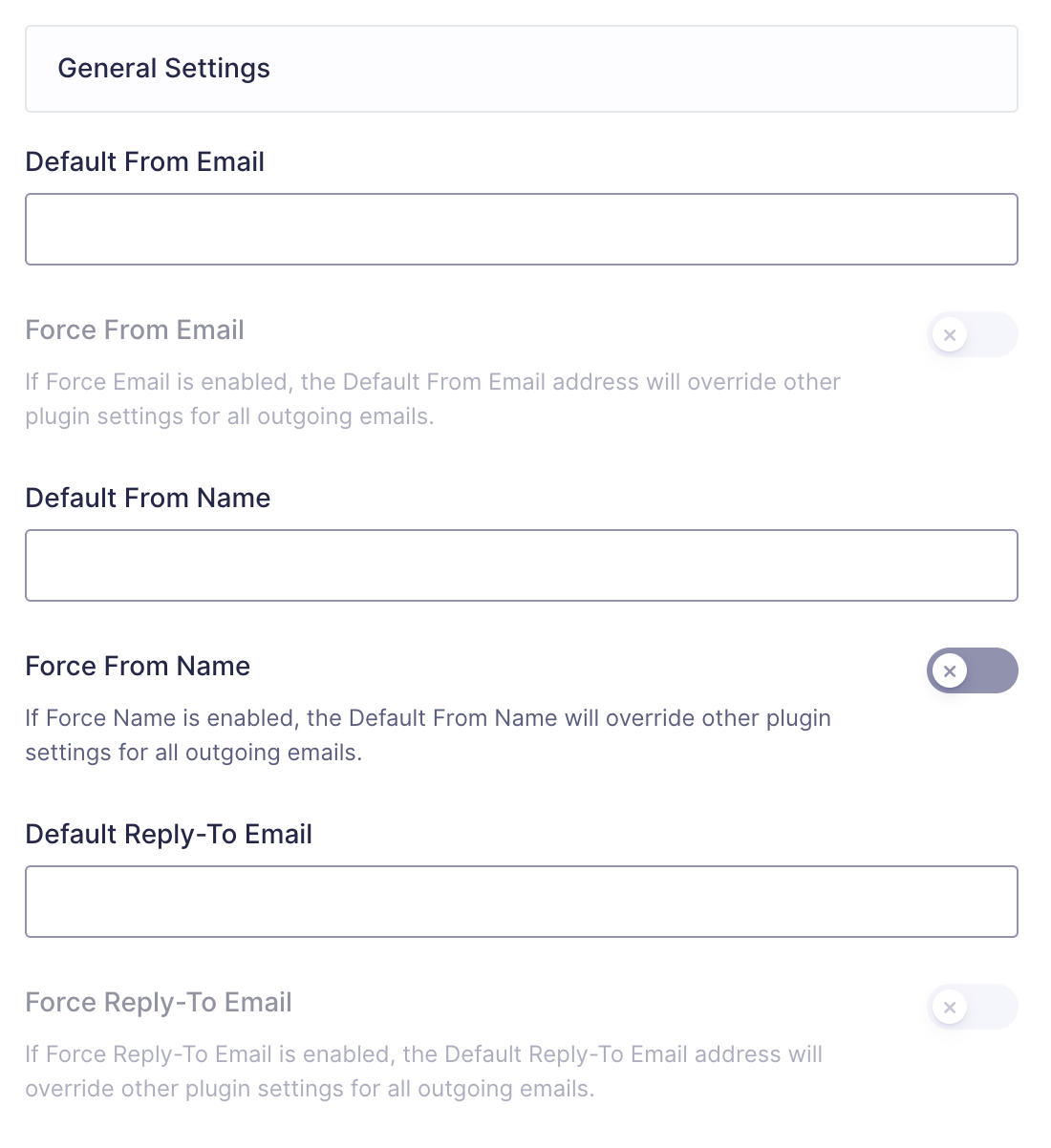
| Setting | Description |
|---|---|
| Default From Email | The from: email associated with outgoing messages. This email address needs to be the connected account address on that account. Only applied when from: property is not explicitly set in the message being processed. |
| Force Email | If enabled, the From Email will override any plugin settings for all outgoing email messages. |
| Default From Name | The from: name associated with outgoing messages. Only applied when from: property is not explicitly set in the message being processed. |
| Force Name | If enabled, the From Name will override any plugin settings for all outgoing email messages. |
| Default Reply-To Email | Specifies the reply-to email for outgoing messages. Applied when no Reply-To is defined. |
| Force Reply-To Email | If enabled, the Reply-To will override any plugin settings for all outgoing email messages. |
Note: The default from email address must have a verified sender identity within Mailtrap. See the “Steps” section for the process of verifying a sender.